Aproid
For Android, Mac and Windows

Android, meet your computer.

Texts, calls, notifications, photos and files from your phone, right on your Mac or PC. Free, open source, and it never leaves your home network.

Free forever. No account needed.

iPhone owners get a quiet little luxury: their phone and their computer just work together.

A text arrives and they answer it from the laptop. A photo goes from pocket to desktop in a second. If you carry an Android phone, you've mostly had to go without. Aproid is our answer to that. Pair your phone once, and from then on it behaves like it was made for your computer.

Everything in one place

Put the phone down. Keep up anyway.

Everything your phone does best, without reaching for it every five minutes.

Your notifications, where you're looking

Phone notifications show up on your computer with the app's own icon. Reply to a chat, tap an action, or dismiss it and watch it clear on the phone too.

Texts from your desk

Read and send SMS in a proper Messages window, with every conversation right where you left it on the phone.

Calls without the scramble

See who's calling and answer or decline from your computer. Start a call from your contacts. On a Mac, talk through the Mac's own speakers and mic.

Files without the cable

Drag a file onto the panel, use the Share menu, or share from any app on your phone. Big videos pick up where they left off if the connection drops.

Your phone, on your screen

Mirror the phone into a window, sound and all, and use it with your mouse and keyboard.

Photos, the moment you take them

Browse recent photos and screenshots from the computer and pull down the ones you want. On Windows they show up in File Explorer too.

One clipboard

Copy on one device and paste on the other. Text, images and files.

The little things

Battery at a glance with a low-battery heads up. Ring your phone when it's lost in the sofa, and see where it was last seen on a map.

Media controls

Pause, skip and change the volume of whatever is playing on the phone, or on your other computer.

More than one phone

Pair a work phone and a personal one, or one phone with your Mac and your PC. Each gets its own card and you swipe between them.

Computers, too

Pair your Mac with your Windows PC to share files, links and the clipboard, check battery, ring a lost laptop and control the music.

Works when the Wi-Fi doesn't

Hotel network blocking devices? Aproid finds your phone over Bluetooth and connects through its own hotspot instead.
Messages and calls

Answer from wherever you're sitting.

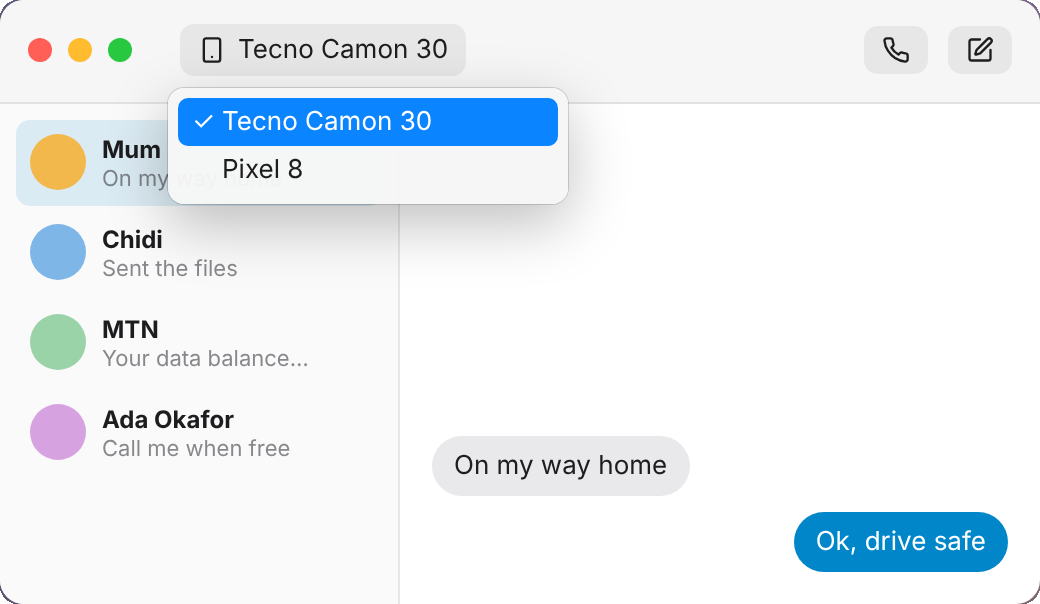
Your conversations sit in a proper Messages window, and an incoming call slides in with the caller's name so you can answer or decline without hunting for the phone.

  • Read and reply to SMS from your keyboard
  • Answer, decline or start calls
  • On a Mac, talk through the Mac's speakers and mic
An incoming call card on the Mac with answer and decline buttonsThe Messages window on the Mac, choosing which phone to text from
One home for every device

Two phones? Two computers? No problem.

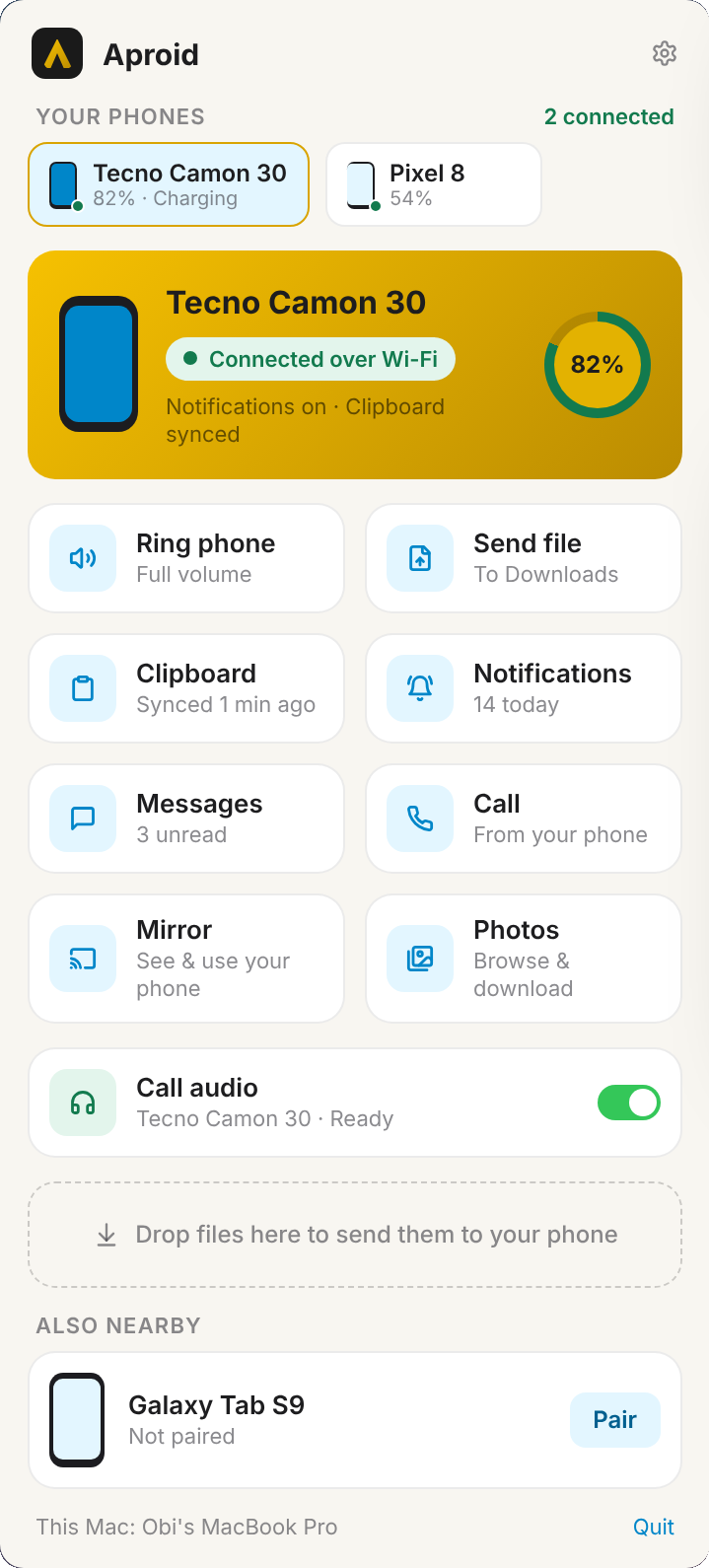
Aproid keeps a card for each device you pair. Swipe or click between them, and every window follows along.

  • Pair as many phones and computers as you like
  • Calls and texts always come from the right phone
  • Pair your Mac and PC to share files and the clipboard
The Aproid panel on a Mac with two phones paired
Screen mirroring

Your phone, in a window, with sound.

Open any phone app on your computer and use it with your mouse and keyboard. Great for the apps that only live on your phone.

  • Smooth video with the phone's own sound
  • Click, scroll and type straight into the phone
  • Works on both Mac and Windows
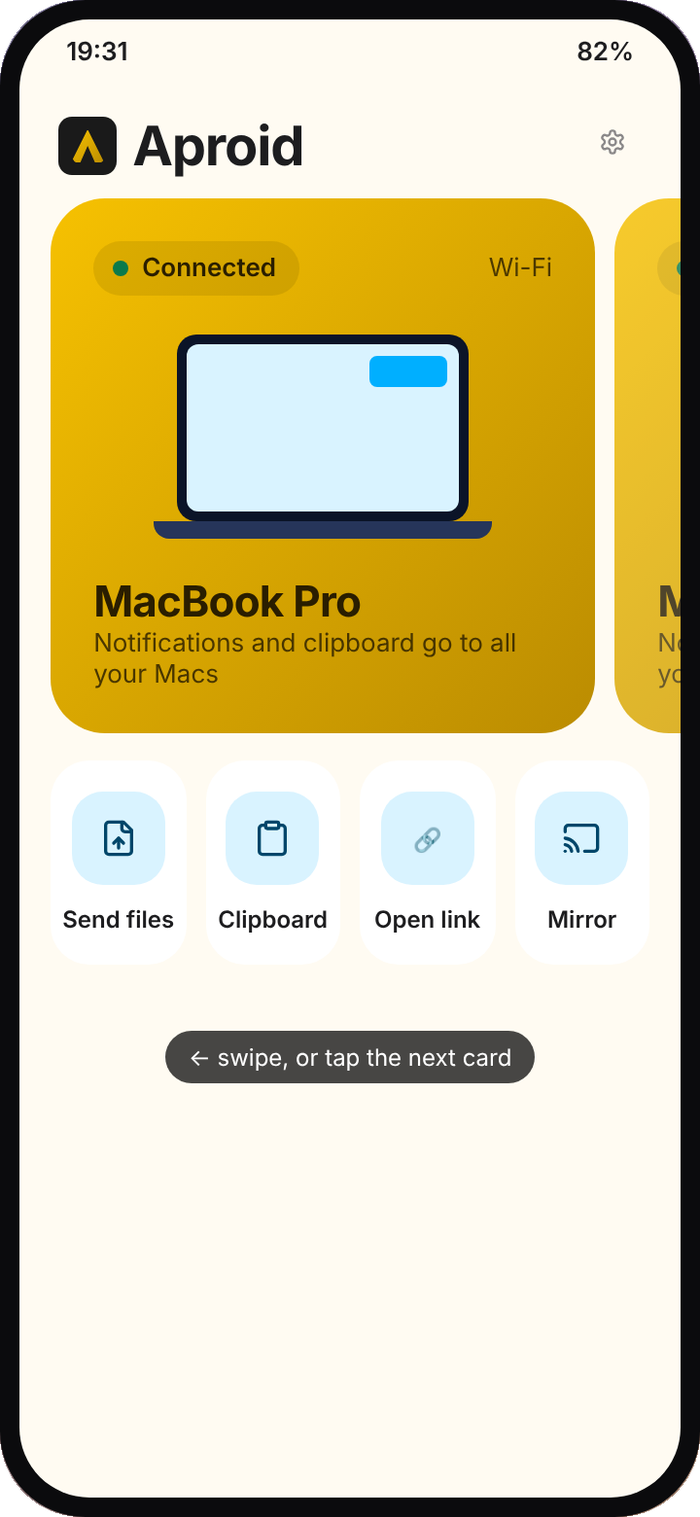
Aproid on Android, showing a paired MacBook Pro
Private by design

Your stuff stays between your devices.

Aproid has nowhere else to send it. Your phone and your computer talk directly over your local network or Bluetooth, and only after you've paired them and checked the same code on both screens. Your messages, photos and notifications never touch our servers, because we don't have any.

It also speaks the KDE Connect protocol, so it gets along with KDE Connect on Linux and other devices.

No servers. Your devices talk to each other directly.
No accounts, no sign-up, no email address.
No ads, no analytics, no tracking.
Every connection encrypted, every device paired by you.
Get started

Set up in under a minute.

Install on both

Get Aproid on your phone and on your Mac or PC.

Same network

Join the same Wi-Fi, or your phone's hotspot.

Pair once

Check the code matches on both screens and accept. That's it.

Your phone has been waiting for this.

Free, open source and made with care for people who love their Android phones.